- An unexpected transaction due to a false post—that is, a clearing without a preceding approval or linked approval.
- Why a clearing occurred that should not have cleared.
- Why a transaction was declined.
Accessing transaction details
To access Transaction details:1
Open the Marqeta Dashboard.
2
Select Dashboard in the upper-left corner, then select Customers > Users from the sidebar.
3
Select a customer from the list.
4
Select the Transactions tab.
5
Select a row to display the details for that transaction.
Core details of a transaction
The following sections of the Transaction details page provide the core information essential for investigating a transaction:- Transaction summary
- POS details
- Related transactions
Transaction summary
The summary at the top provides an overview of the transaction and merchant, including the transaction type, current transaction state, and reason for the current state.
POS details
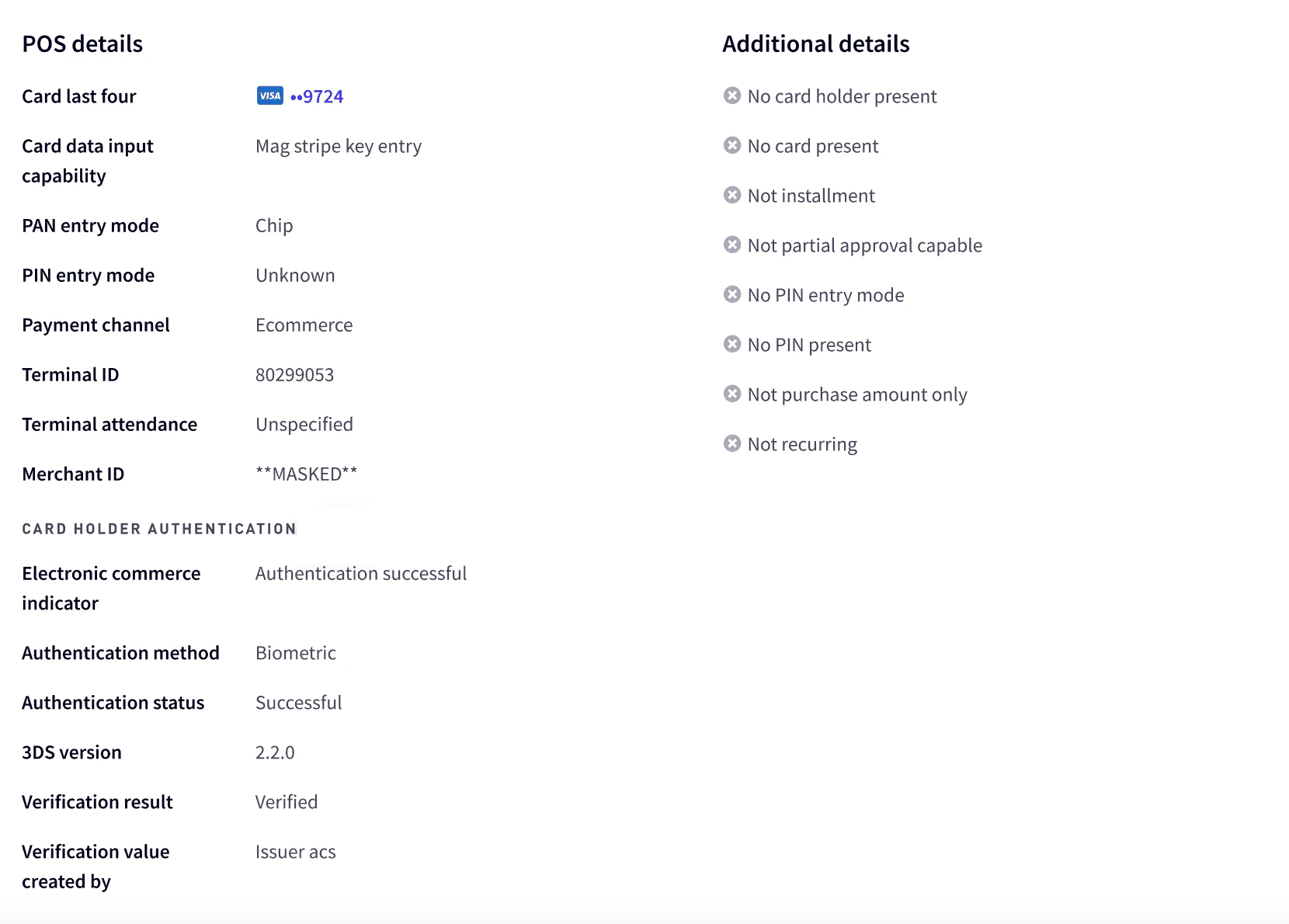
Point-of-sale information is displayed in the POS details section. This includes information such as whether the cardholder was physically present during the transaction, whether a chip was used, and the merchant ID. More information is provided in the Additional details panel on the right.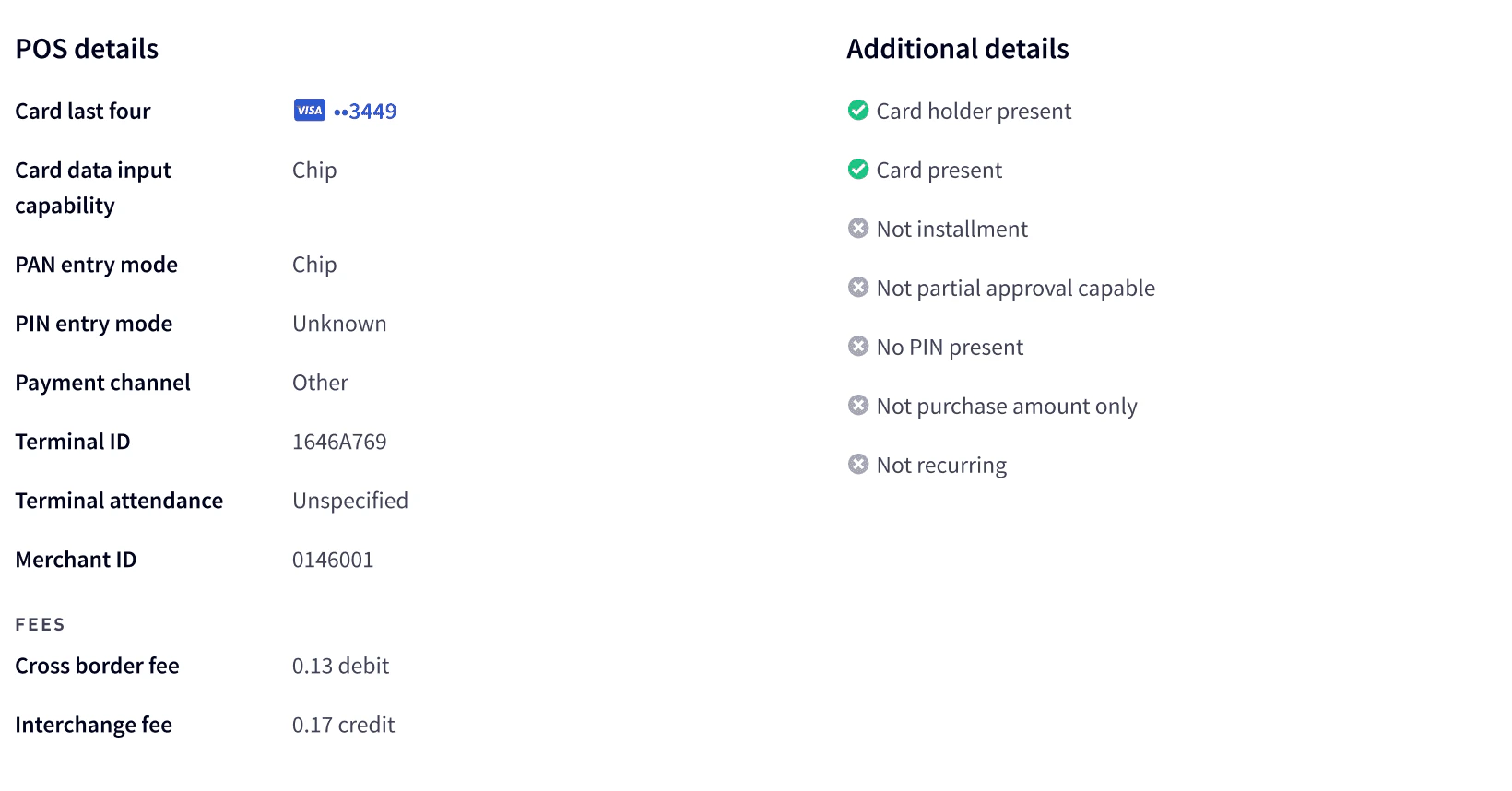
Related transactions
The Related transactions section provides a historical log in chronological order, allowing you to follow the sequence of linked transactions that led to the current transaction state. To view more information on the related transaction, select the transaction row.
Determining the cause of a declined transaction
When a transaction is declined, you many need to determine the cause. The TRANSACTION DETAILS area in the summary provides basic information about the decline authorization, including the reason for the decline, reason code, and a short description. For a list of reason codes and descriptions, see Transaction response codes.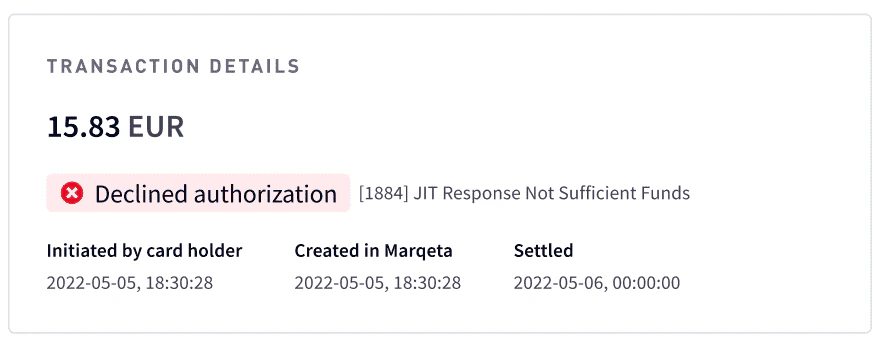
Investigating approved transactions
In some cases, a transaction may have been unexpectedly approved. Some examples are:- Skipped authorization
- Commando mode approval
- 3DS authentication was exempted
- Merchant chose to push the transaction through
JIT Funding transactions
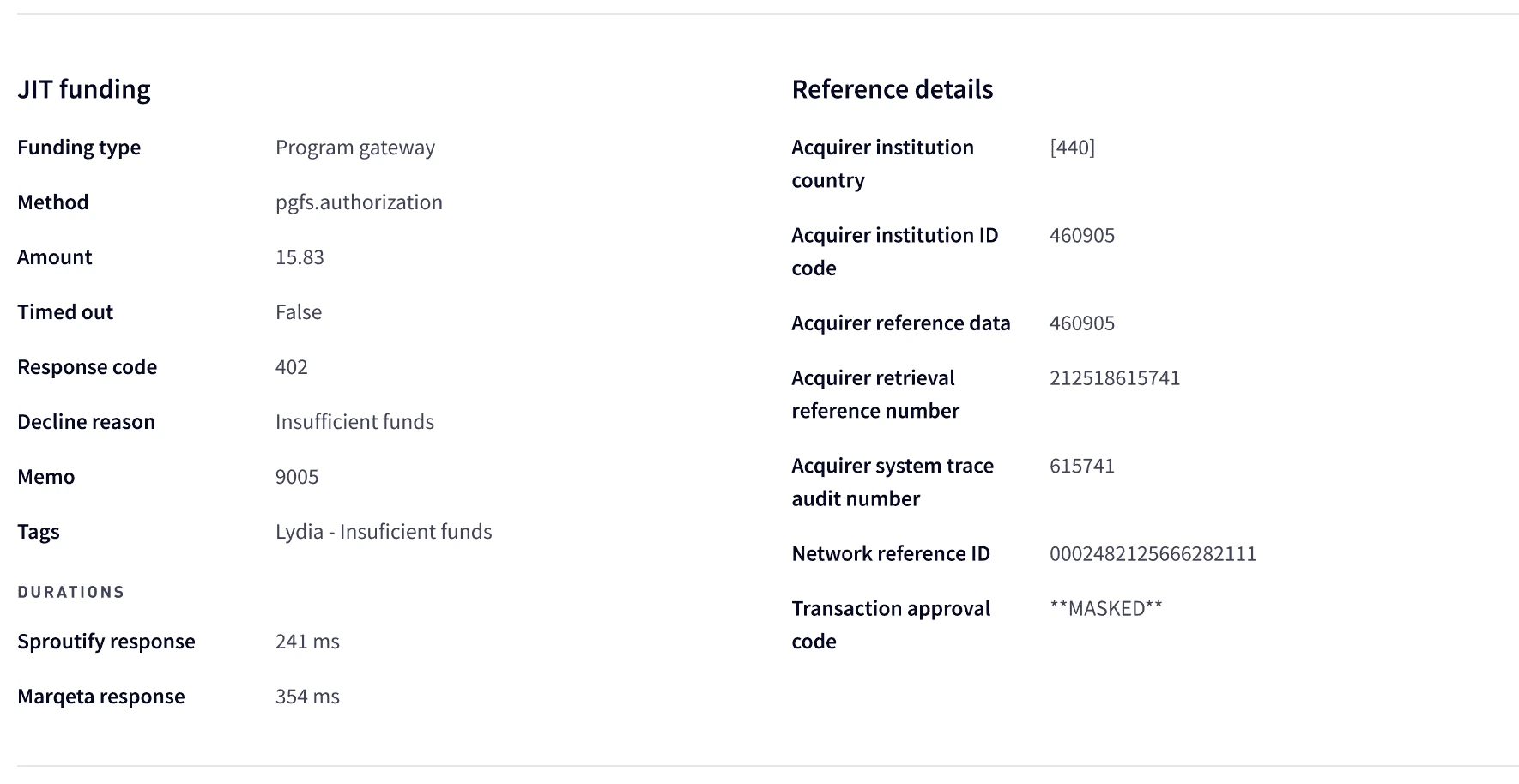
The JIT Funding section shows the result of a JIT Funding transaction, including the customer response. Authorization JIT transactions have aprogramgateway funding type. The following shows the JIT Funding section:
Note
For Visa transactions, the Network Reference ID is prepended with
For Visa transactions, the Network Reference ID is prepended with
0002. When researching a transaction with the Visa network, remove the prefix to get the Visa transaction ID.Timed-out transactions
Because the card network requires a timely response from the Marqeta platform, there is a timeout limit on the response from your gateway. If your gateway doesn’t respond to the JIT Funding request within three seconds, the Marqeta platform declines the transaction to the network. If a JIT transaction has timed out, the Timed out field is set totrue. Time details are shown in the DURATIONS area. For more information, see Identifying and resolving timeouts.
E-commerce transactions
For e-commerce transactions, the Payment channel in POS details is set toEcommerce. The following additional fields are displayed in CARDHOLDER AUTHENTICATION section of the POS details section.
- Electronic commerce indicator – The level of verification performed:
Authentication successful,Authentication attempted, orNo authentication - Authentication method – The 3D Secure authentication method:
Audio call,Behavioral biometrics,Biometric face,Biometric fingerprint,Decoupled,Delegated trusted authentication,In app login,Knowledge based,OTP SMS,OTP email,Secure payment confirmation,Video call,Voice recognition,Web authentication, orOther - Authentication status – The 3D Secure authentication status:
Cancelled,Failed,Not authenticated,Success, orSuccessful non payment - 3DS version – The 3DS version used for authentication.
Token e-commerce transactions
Token e-commerce authorizations have anEcommerce payment channel displayed in the POS detail section with additional displayed fields in Cardholder authentication data section. When the authorization type is a token e-commerce authorization, the Digital Wallet token and Device sections are displayed, which provides information about the digital wallet and device used for the transaction.
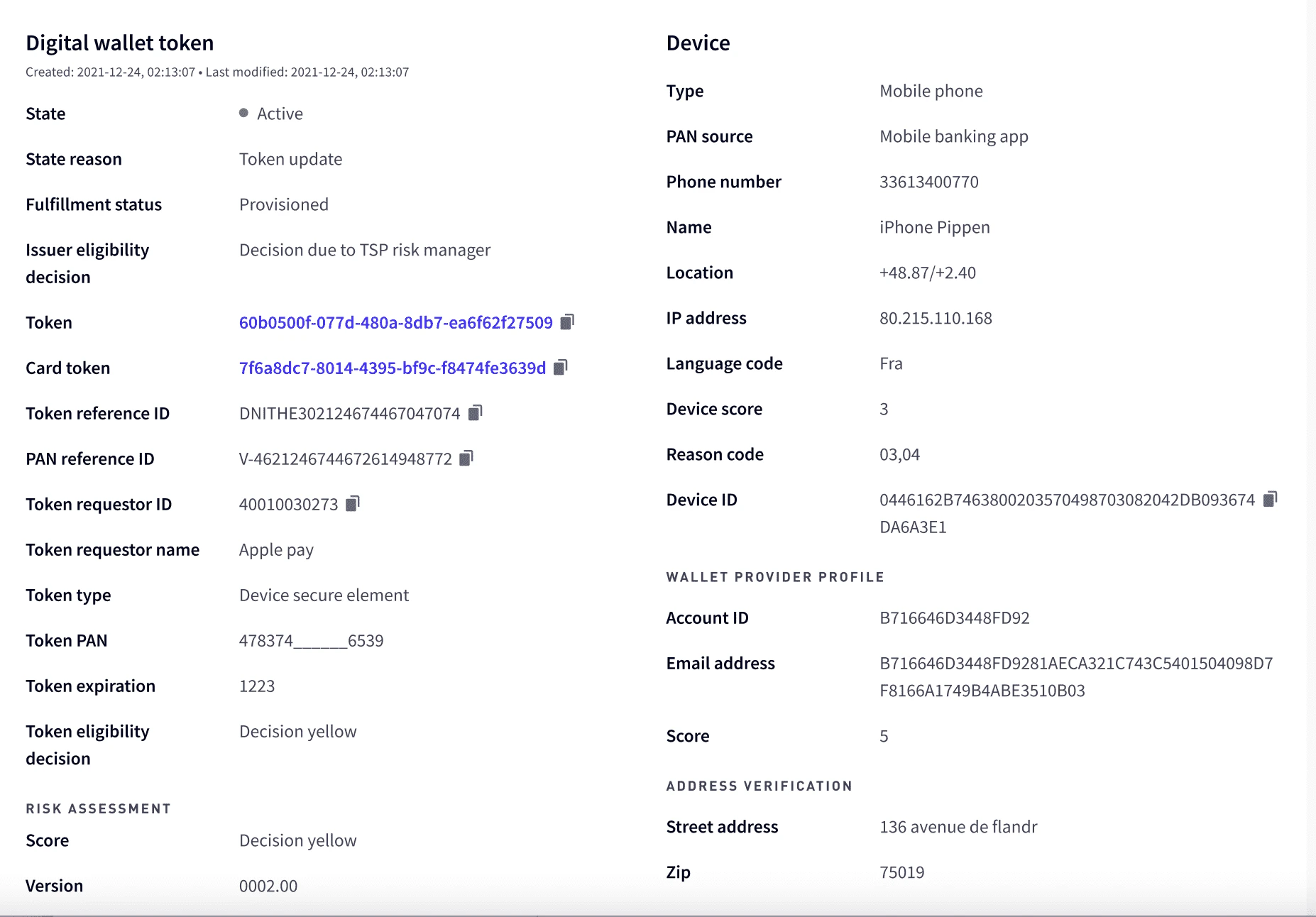
Decision red, Decision yellow, or Decision green.
Address verification
The ADDRESS VERIFICATION area at the bottom of the Digital wallet token section displays address verification data. The address is displayed if the address is verified. If the address cannot be verified and the transaction declined, a memo indicates specifically how the address was different and the outcome.
Multi-currency amounts
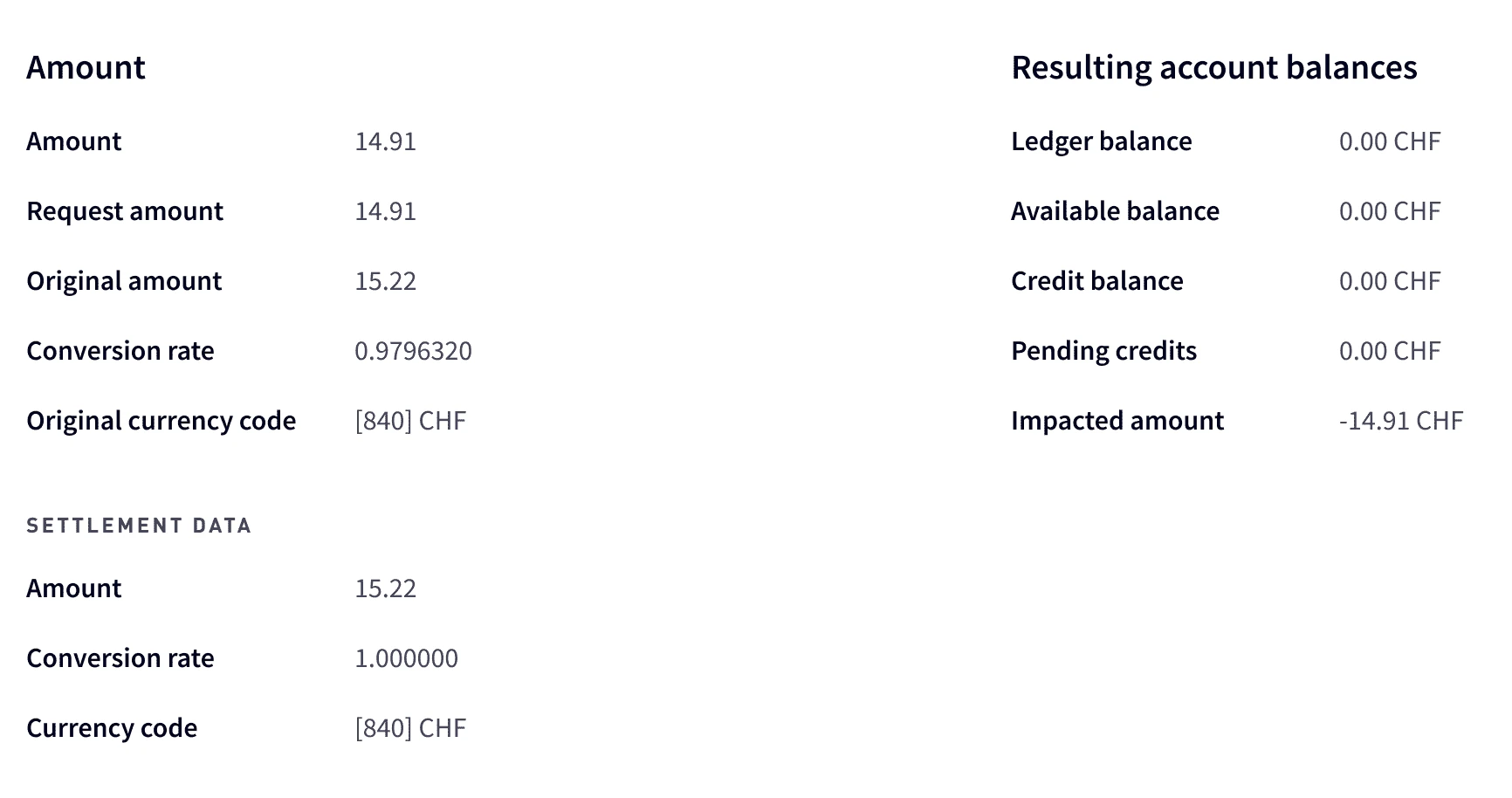
The Amounts section provides details on the transaction amounts, resulting balances, settlement, and currencies.